
Twitter DMCA: Full Guide for X (2026)
Twitter DMCA (2026): Learn how to file a takedown on X step-by-step, what happens next, counter-notices, and tips to stop reposted content fast.
- File copyright complaints through X's copyright form. You need to be logged in to an X account.
- Link each post individually; a profile link isn't enough.
- X sends the poster a full copy of your complaint, including your contact details, unless an agent files for you.
- Impersonation is a separate report, and you don't need an X account to file it.
On this page
Before you start
X handles copyright under its copyright policy. Only the copyright owner or someone authorised to act for them can file. You'll need to sign in to an X account with a current email address to use the form.
- A direct link to every infringing post. Copy it from the post's share menu.
- A description of your original work and where it's published.
- Your contact details. Remember they'll be shared with the poster.
- Your full name to sign the complaint.
How to file a DMCA takedown on X
- 1Log in to XUse an account with a current email address.
- 2Open the copyright formGo to X's copyright form and choose whether you're the copyright owner or an authorised agent.
- 3Describe your original workSay what it is and link to where you published it.
- 4Add each infringing postPaste a direct link to every post. X says a link to a profile page is not enough.
- 5Add your contact detailsFill in the contact fields; X uses these to follow up.
- 6Sign and submitAccept the good-faith and accuracy statements, type your full name as your signature and submit.
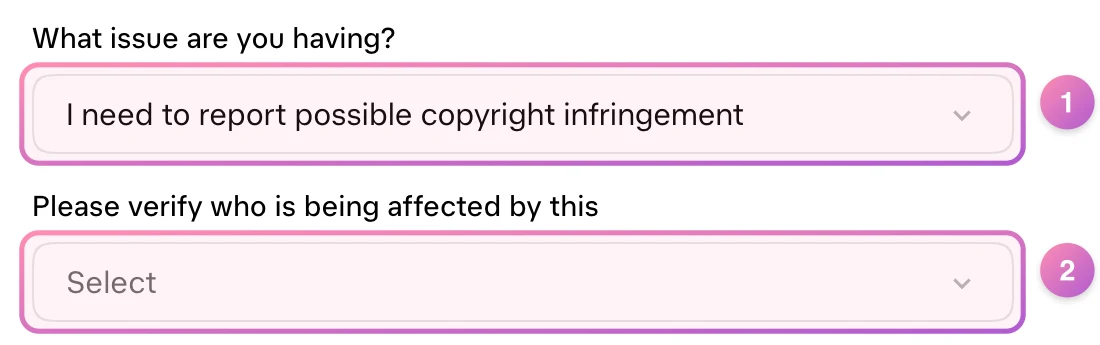
- What issue are you having? Choose I need to report possible copyright infringement.
- Who is being affected? Say whether it's you, as the copyright owner, or someone you're reporting for. The rest of the form opens after this.
What happens next
If your complaint is valid, X removes or disables the content and notifies the account holder, with instructions for filing a counter-notice. X doesn't publish a set response time. Accounts that repeatedly post infringing material, or re-post removed material, can be permanently suspended.
If the poster files a counter-notice
To counter, the poster must agree to the jurisdiction of a US federal court and to their details being shared with you. If you don't show X within 10 business days that you're seeking a court order, X may put the content back.
Reporting an impersonation account
Fake accounts using your name or photos are reported through X's impersonation form, not copyright. The person being impersonated or their authorised representative can report, and you don't need an X account to do it. X may need the report to come from you, not a fan. Outcomes include suspension or requiring the account to change.
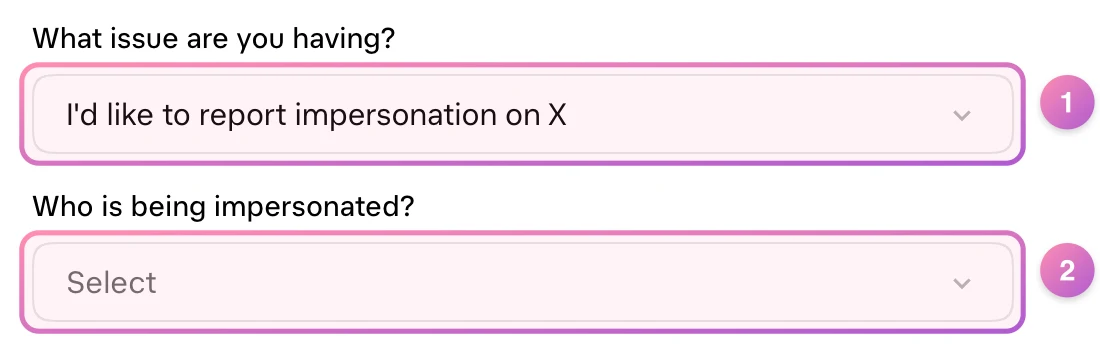
- What issue are you having? Choose I'd like to report impersonation on X.
- Who is being impersonated? Say whether the account is pretending to be you or someone you represent. X then asks for the account and your details.
Tips to stop reposts fast
- Report every repost individually, including quote posts and replies with your media.
- Check media tabs and search for your stage name every few days. Reposts often come in waves.
- Use an agent if you'd rather your personal details weren't sent to the poster.
- For intimate images, X also has a page on its process under the TAKE IT DOWN Act.
- X copyright formRequires login
- X copyright policy
- Impersonation formNo account needed
- TAKE IT DOWN Act at XIntimate images
This guide is general information, not legal advice. Platform forms and policies change, so check the official pages linked above before you file.